
Putnam County Traffic Citation Lookup
The Clerk's website links traffic payment users to PayYourTix for Putnam County State Court. The PayYourTix page is labeled for Putnam County State Court and identifies Clerk of Court Trevor Addison. It is a citation search and payment portal, not a full civil, criminal, or driver-record system. Use it when the ticket names Putnam County State Court or when the Clerk directs the citation there.
The payment portal says the name must be entered as it appears on the ticket. It also says the last name must be paired with either the citation number or driver's license number. If the portal does not find the citation, call the Putnam payment number listed on the portal, (706) 623-4974, during normal office hours, or call the Clerk of Superior Court at (706) 485-4501. The official courthouse ZIP in local court sources is 31024; the traffic payment page displays a conflicting ZIP, so use the clerk and courthouse sources for the address.
- Read the citation and confirm whether it names Putnam County State Court or a city court.
- For State Court tickets, open the PayYourTix Putnam County page.
- Enter the last name exactly as shown on the ticket.
- Add either the citation number or the driver's license number.
- Review the case, payment amount, due date, and any court-appearance warning before paying.
Putnam County Traffic Search Fields
The traffic search fields below come from the official-linked PayYourTix Putnam County State Court page described in the research. These fields are for ticket search and payment. They do not search all Putnam County court records, and they do not order a Georgia DDS driving history.
| Field Label | Type | Required | Options or Format Notes |
|---|---|---|---|
| Enter State | Dropdown | Yes | Georgia displayed. |
| Enter Jurisdiction | Dropdown | Yes | PUTNAM COUNTY STATE COURT displayed. |
| Case # | Text | Optional or unspecified | Use if known. |
| Citation # | Text | Conditionally required | Required if driver's license number is not used. |
| Last Name | Text | Yes | Must match the ticket. |
| DL # | Text | Conditionally required | Required if citation number is blank. |
| Amount to pay | Payment field | After lookup | Payment page may allow a selected amount where scheduled. |
Putnam County Traffic Courts
Traffic records split by court. Putnam County State Court handles many county traffic tickets and misdemeanors. City of Eatonton matters may route through the city's own ticket-payment link, not the county State Court PayYourTix page. More serious traffic-related conduct, such as DUI, suspended license charges, or charges linked with an arrest, may appear in criminal court records and should be checked through the relevant court case channel.
| Court or Channel | Traffic Use | Official Link or Contact |
|---|---|---|
| Putnam County State Court | County traffic citations and some misdemeanor traffic matters | PayYourTix Putnam County |
| Clerk of Superior Court | State Court records, payment fallback, certified copies | Clerk homepage |
| City of Eatonton | Municipal ticket payment channel | City of Eatonton homepage |
| Georgia DDS | Driving history, points, license status, and MVR | DDS driving history instructions |
What Putnam County Traffic Records Show
A court traffic record is the court-side file for the citation. It may show the citation number, case number, driver name, charge or code, issuing agency, court, court date, payment amount, plea, disposition, fines, costs, and failure-to-appear activity. It may also show whether a ticket was paid, contested, reduced, dismissed, or routed into a criminal docket.
| Field | What It Shows |
|---|---|
| Citation number | The ticket identifier used by the payment portal or court. |
| Case number | The court's internal case identifier if assigned. |
| Last name and DL number | Search identifiers used by PayYourTix. |
| Charge or offense | The traffic violation or misdemeanor alleged on the citation. |
| Court date | The appearance date or payment deadline when listed. |
| Disposition | Paid, dismissed, reduced, guilty plea, not guilty setting, or other outcome. |
| Fine and costs | Amounts owed to the court or payment portal. |
Pay or Contest Putnam County Tickets
Payment may resolve the court's money requirement, but it can also be treated as a plea or admission depending on the citation and court rules. Read the ticket and portal language before paying. If the charge is serious, if a court appearance is mandatory, or if the driver holds a commercial license, call the court or speak with counsel before using the payment link.
To contest a citation, verify the court, date, and clerk contact. The Putnam County Clerk can answer State Court payment and case questions, while the City of Eatonton should be used for city tickets. A person who may already have missed court should also check for a failure-to-appear warrant through the Sheriff's warrant contact before appearing in person.
Important: Paying a Putnam County traffic ticket may not prevent a conviction from being reported to DDS.
Traffic Records vs Georgia MVR
A Putnam County court traffic record and a Georgia DDS motor vehicle report are different records. The court traffic record is held by State Court or a municipal court and concerns a specific citation. The DDS MVR is a state driving-history file that may show convictions reported to DDS, points, license status, suspensions, and other driver-record data. A paid court ticket can still appear on the driver record if it results in a reportable conviction.
| Record Type | Source | What It Shows | How to Access |
|---|---|---|---|
| Court traffic record | Putnam County State Court or City of Eatonton | Citation, case status, plea, fine, court date, disposition | PayYourTix, city payment link, clerk, or court counter |
| State driver record | Georgia Department of Driver Services | Driving history, convictions, points, license status, suspensions | DDS online MVR or DDS driving history instructions |
Georgia DDS driving-history instructions are shown in the image below.
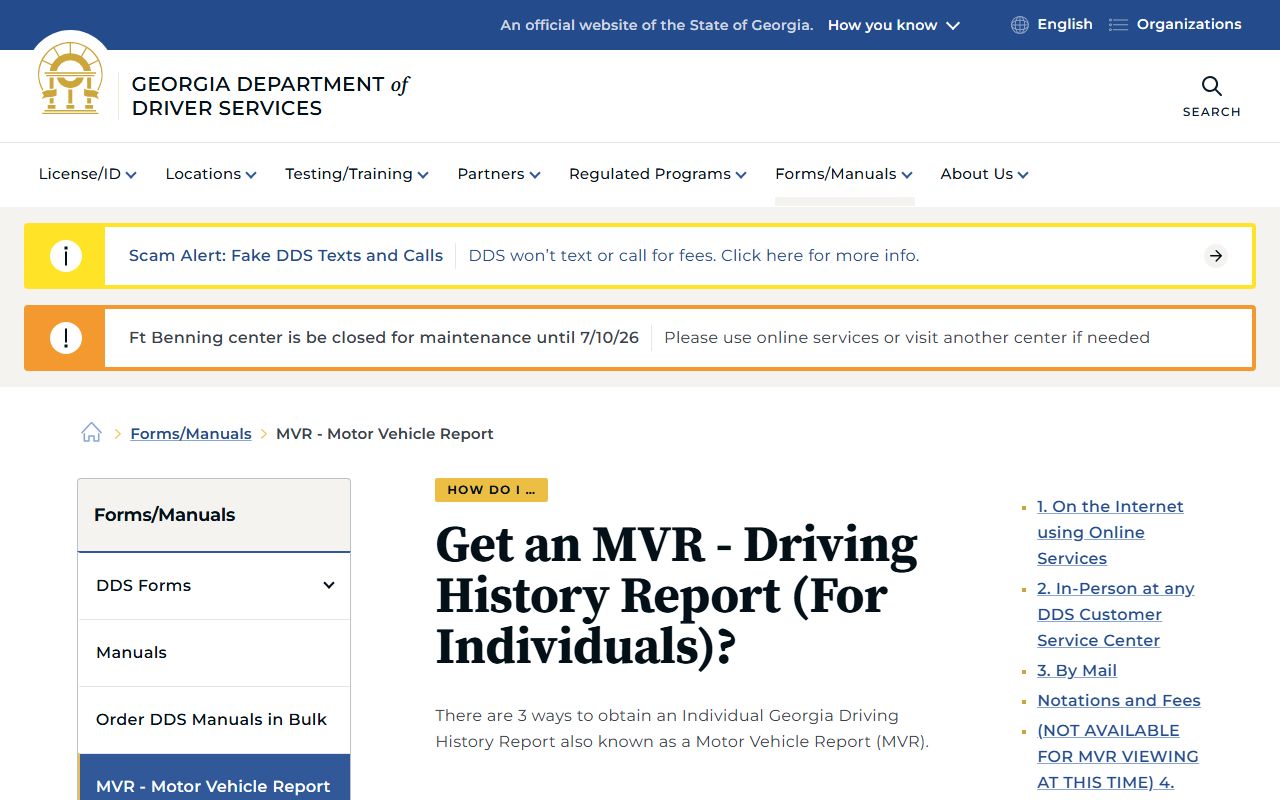
The DDS source is the correct route for an MVR, while the Putnam County court or city channel remains the route for the citation case file.
Order Georgia Driver Records
Georgia DDS says there are three ways to obtain an individual Georgia Driving History Report, including internet Online Services. The DDS open-records page directs individual or authorized MVR users to the Driving History Report page and separates those requests from attorney, public-official, and other open-records channels. Use DDS when the goal is a driver-history record, not a court-certified traffic citation file.
The Georgia DDS online MVR portal is shown here for Putnam County traffic records users who need a state driving history.
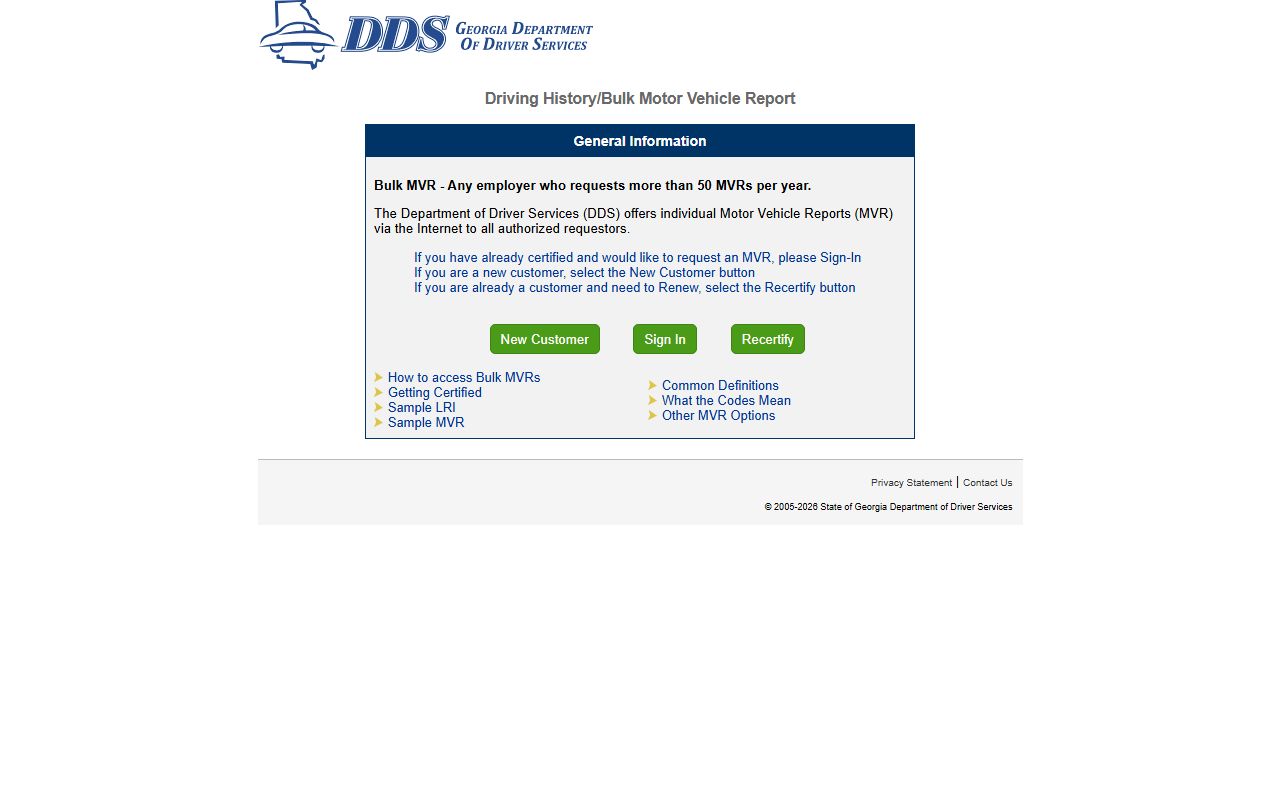
The online MVR portal should be used only for state driver records; it does not contest, pay, or dismiss a Putnam County citation.
Putnam County DUI and CDL Records
DUI and some serious traffic cases can move beyond a simple citation-payment record. A DUI may create a criminal case, bond issue, license consequence, and DDS record. For the criminal case file and charge outcome, use the court record channel and, when needed, the Putnam County criminal court records page. For license status and points, use DDS.
Commercial drivers should be careful with any ticket payment or plea. The research did not locate a Putnam County local CDL policy, deferred-disposition rule, defensive-driving rule, or fine schedule. CDL holders should ask the court whether appearance is mandatory, whether the charge is reportable, and how a plea affects a commercial license before paying online.
Putnam County Traffic Record Fees
The traffic research located payment phone contacts and portal search fields, but it did not locate a complete local fine schedule or certified-copy traffic fee table. The Clerk's fee page says local fee information is provided as a courtesy and points users to current statewide fees in O.C.G.A. 15-6-77. For ticket amounts, use the citation portal or call the court. For certified copies, ask the Clerk of Superior Court.
| Item | Amount or Status |
|---|---|
| Ticket payment amount | Shown after lookup or by court contact |
| Putnam payment phone | (706) 623-4974 |
| General phone payment number | 866-339-0646 |
| Certified court copy | Confirm with Clerk; statewide fee statute controls many clerk fees |
| Georgia DDS MVR | Check DDS online services for current charge |
Note: If a traffic citation search fails online, use the Clerk or city channel before assuming the ticket has been dismissed.